
TikTok Shop order sync and fulfilment
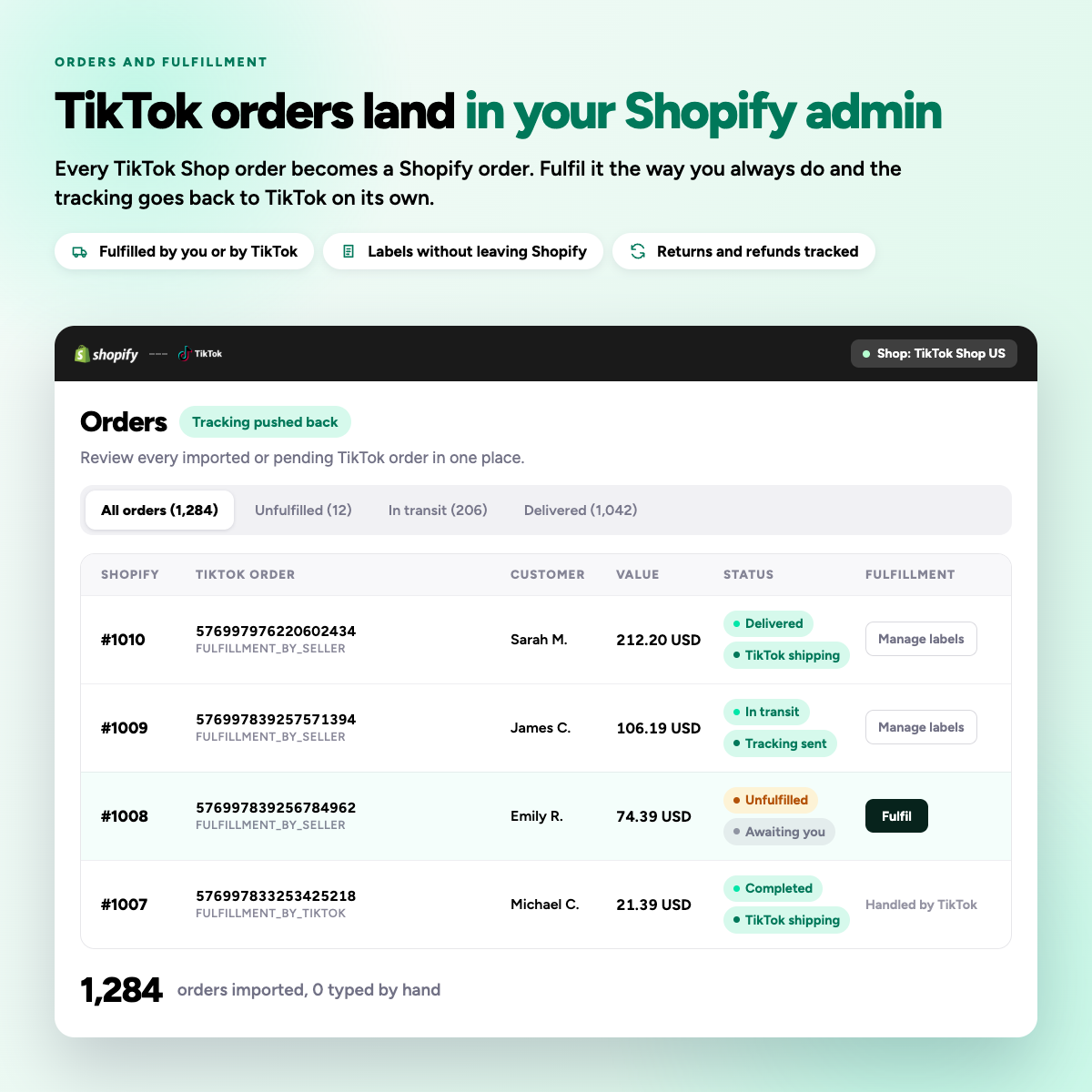
Every TikTok Shop order arrives in your Shopify admin, tagged with the shop and market it came from. Pick, pack and ship the way you already do. Tracking goes back to TikTok on its own.
Late dispatch is scored, and the score follows you
TikTok expects dispatch within two business days. Miss it and you collect penalty points, order caps, and eventually probation.
Your fulfilment process does not change
-
01
The order arrives
A TikTok sale creates a Shopify order with the buyer, items and shipping method.
-
02
You fulfil it
Pick, pack and ship from Shopify, your 3PL, or Fulfilled by TikTok.
-
03
Tracking goes back
Adding tracking in Shopify pushes it to TikTok with the mapped carrier.
-
04
Status stays in step
Cancellations and refunds sync both ways, and stock is drawn down once.
Nothing is retyped by hand
The imported Shopify order carries everything you need to pick, ship and report on it, both directions.
Buyer and address
Imported as an ordinary Shopify customer order.
Shop and market tag
Every order labelled with where it came from.
Line items and SKUs
Matched to the mapped Shopify variant.
Order value
Recorded so your Shopify reporting stays complete.
Carrier mapping
Shopify carriers matched to the TikTok carrier list.
Dispatch deadline
Orders approaching the two day window are surfaced.

Order and fulfilment questions
Why are my TikTok Shop orders not showing up in Shopify?
This usually happens due to orphan products, items added directly in TikTok Seller Center that have no mapped counterpart in Shopify. The fix is to map each product and variant, after which the order will re-sync.
Syncato holds the order, shows the reason in the error log, and lets you map the variant from that screen, after which the order re-syncs on its own.
How are TikTok Shop orders fulfilled from Shopify?
Orders created in TikTok Shop appear in your Shopify admin so you can fulfil them like any other channel, respecting TikTok’s SLAs and shipping rules. Product mapping, fulfilment location and tracking must be configured correctly so orders do not get stuck.
Syncato tags each order with the shop and market it came from, and pushes Shopify tracking back to TikTok with the matching carrier.
Do I need to set up shipping separately for TikTok Shop?
Yes. Even if your Shopify shipping is configured, TikTok Shop requires its own shipping templates. With TikTok Shipping, labels are created in Seller Center. With Ship by Seller, you must add at least one shipping template in Seller Center.
Syncato maps your Shopify carriers to TikTok carriers so tracking is accepted first time, and each shop can use its own template.
Can I use my existing Shopify payment gateway for TikTok Shop orders?
No. TikTok Shop processes payments through its own in-app wallet and pays you via payouts to your linked bank account. You cannot use Shopify Payments for TikTok Shop checkout.
Syncato records the order value on the imported Shopify order so your reporting stays complete, while money continues to settle through TikTok.