
Sync Shopify products to TikTok Shop
Syncato pushes your Shopify catalogue into TikTok Shop and keeps it there. Titles, images, variants, SKUs, prices and categories move across on their own, to every shop you own, in all 25 live markets.
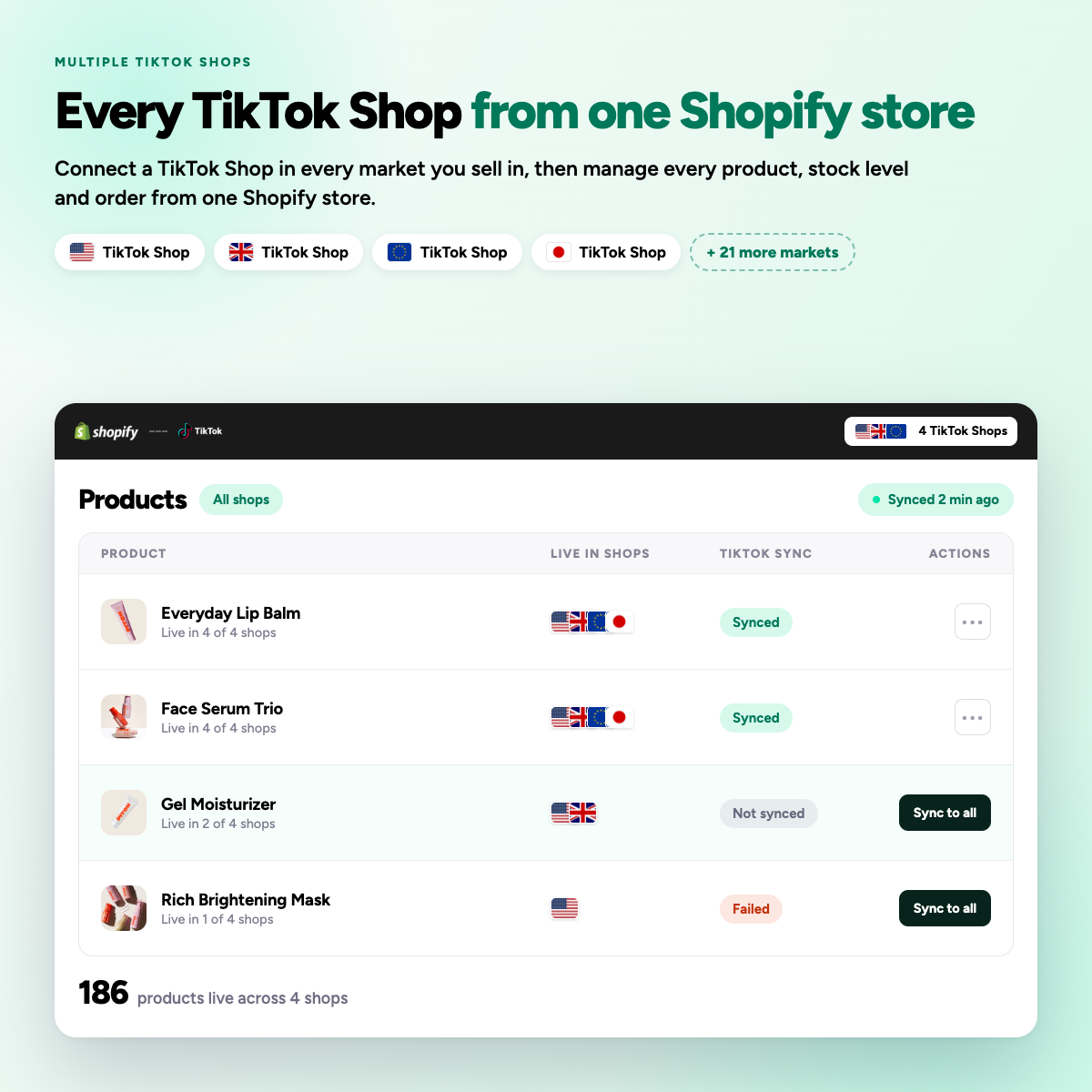
Manual listing does not survive a second market
One shop is manageable. Two means every title, image and price edit done twice, and a new seller sync cap of 100 products a day on each.
Four steps from install to live listings
-
01
Install and authorise
Connect with the TikTok Shop owner account. Admin roles cannot complete setup.
-
02
Map your categories
Save a category template per Shopify product type once, and every future product follows it.
-
03
Choose what publishes
Select collections or individual products, per connected shop, each with its own price rule.
-
04
Let it run
Edits in Shopify push out within seconds. Anything over TikTok’s daily cap queues for the next day.
Every field TikTok Shop asks for
Syncato validates each product against TikTok's rules before it is submitted, so fewer listings come back rejected.
Titles and descriptions
Plain text, since TikTok rejects bold formatting.
Images and video
Ordered as in Shopify, checked against size rules.
Variants and SKUs
Options mapped to TikTok sales attributes.
Prices
A percentage or fixed rule per shop covers commission.
Inventory
Drawn from the Shopify locations you choose.
Categories and attributes
Filled from your saved category templates.

Product sync questions
+ Why did only 100 of my products sync to TikTok Shop?
As a new seller, TikTok limits your daily product sync to 100 products. The limit resets daily, so you can sync another batch the next day. Also, make sure your products have SKUs, proper categories, and comply with TikTok’s commerce policies.
Syncato queues everything above the cap and publishes the remainder automatically on following days, with a log of what is live, queued or rejected.
+ My product edits in Shopify aren’t syncing to TikTok Shop. What’s wrong?
If a product is locked due to an active promotion, price and description edits from Shopify will not sync. TikTok also does not support bold formatting in descriptions. Revert the promotional price in Shopify first, edit the description, let it sync, then re-apply the promo price.
Syncato flags a locked listing instead of failing silently, so you know which promotion is blocking the edit.
+ Should I edit my products in Shopify or in TikTok Seller Center?
Always edit in Shopify. Your Shopify store should be the source of truth. Changes made in Shopify automatically push to TikTok Shop. If you edit directly in Seller Center, you risk creating orphan products and sync conflicts.
Syncato pushes each Shopify change out to every connected shop, so one edit updates all of your markets.
+ Can I run TikTok Shop and my Shopify store with different prices?
Yes. You can disable price sync and set different prices on TikTok Shop, or use percentage and fixed-amount rules so TikTok Shop prices auto-adjust relative to Shopify.
Syncato supports a percentage or fixed rule per shop, which is how most merchants cover TikTok commission without changing their own store prices.